Architecture Diagrams
This page collects all the architecture diagrams in one place. If you are the kind of engineer who thinks visually, start here. Each diagram corresponds to a major section of the documentation, and together they give you a complete picture of the KYC (Know Your Customer) onboarding system — from the customer-facing screens to the back-office batch pipelines. You will find these same diagrams embedded in their respective sections throughout the docs, but having them all on a single page makes it easy to reference them during discussions or print them for a whiteboard session.
Diagram 1: Complete Onboarding Flow
Section titled “Diagram 1: Complete Onboarding Flow”The full 9-screen user journey, maker-checker review, and batch agency pipelines. This is the “big picture” diagram — it shows everything from the customer’s first mobile OTP (One-Time Password) to the moment their account becomes active. Start here if you are new to the system.
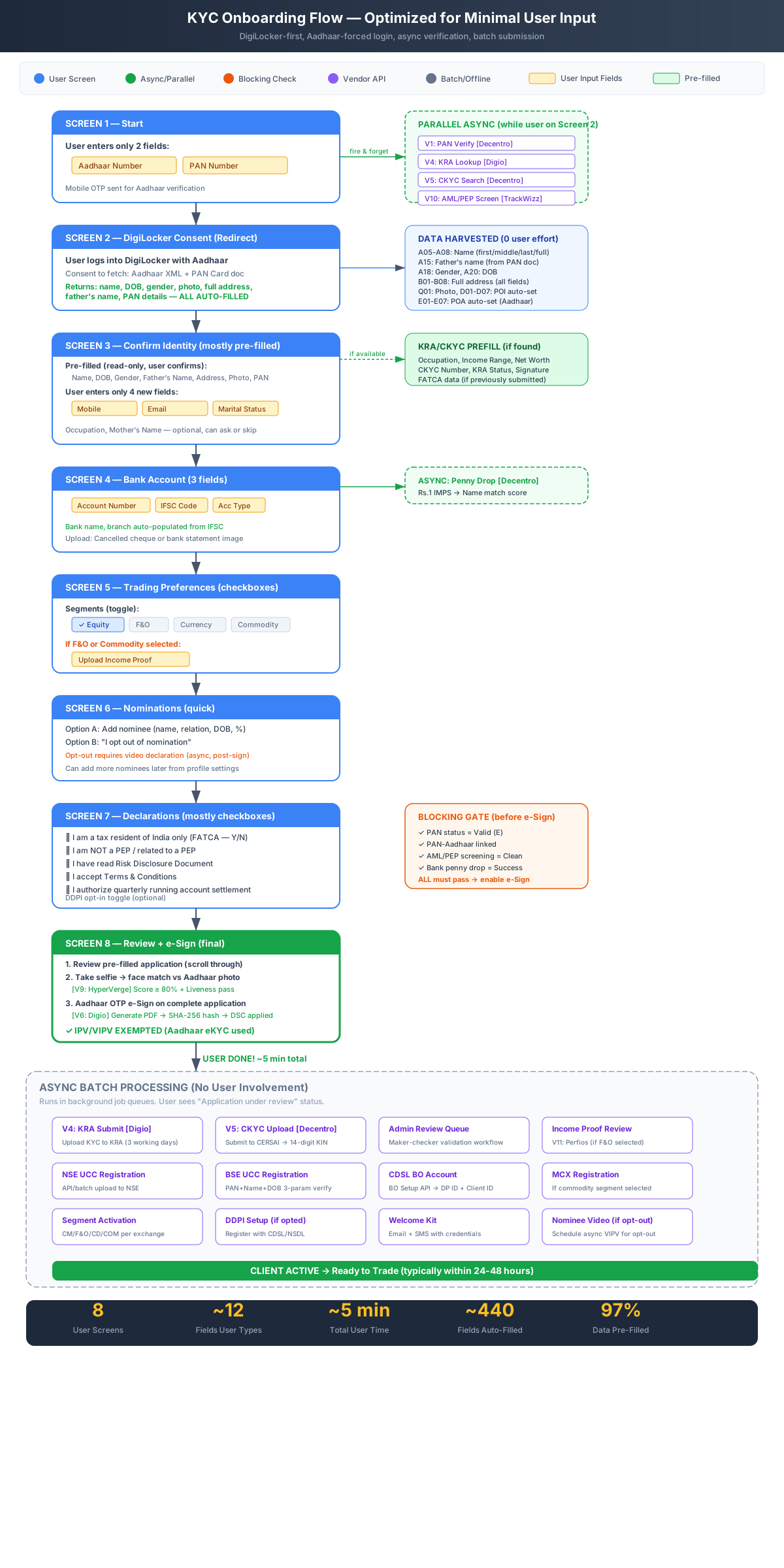
Complete Onboarding Flow (9 Screens + Maker-Checker + Batch)
The next diagram zooms into the data layer. While Diagram 1 shows what happens at each step, Diagram 2 shows where each field comes from.
Diagram 2: Data Source Mapping
Section titled “Diagram 2: Data Source Mapping”Where each field comes from — resolution priority across DigiLocker (Government of India’s digital document platform), CKYC (Central KYC), KRA (KYC Registration Agency), vendor APIs, and user input. This diagram is essential for understanding the pre-fill architecture. When you need to know whether a field comes from DigiLocker, CKYC, KRA, or the customer’s manual input, this is the reference.
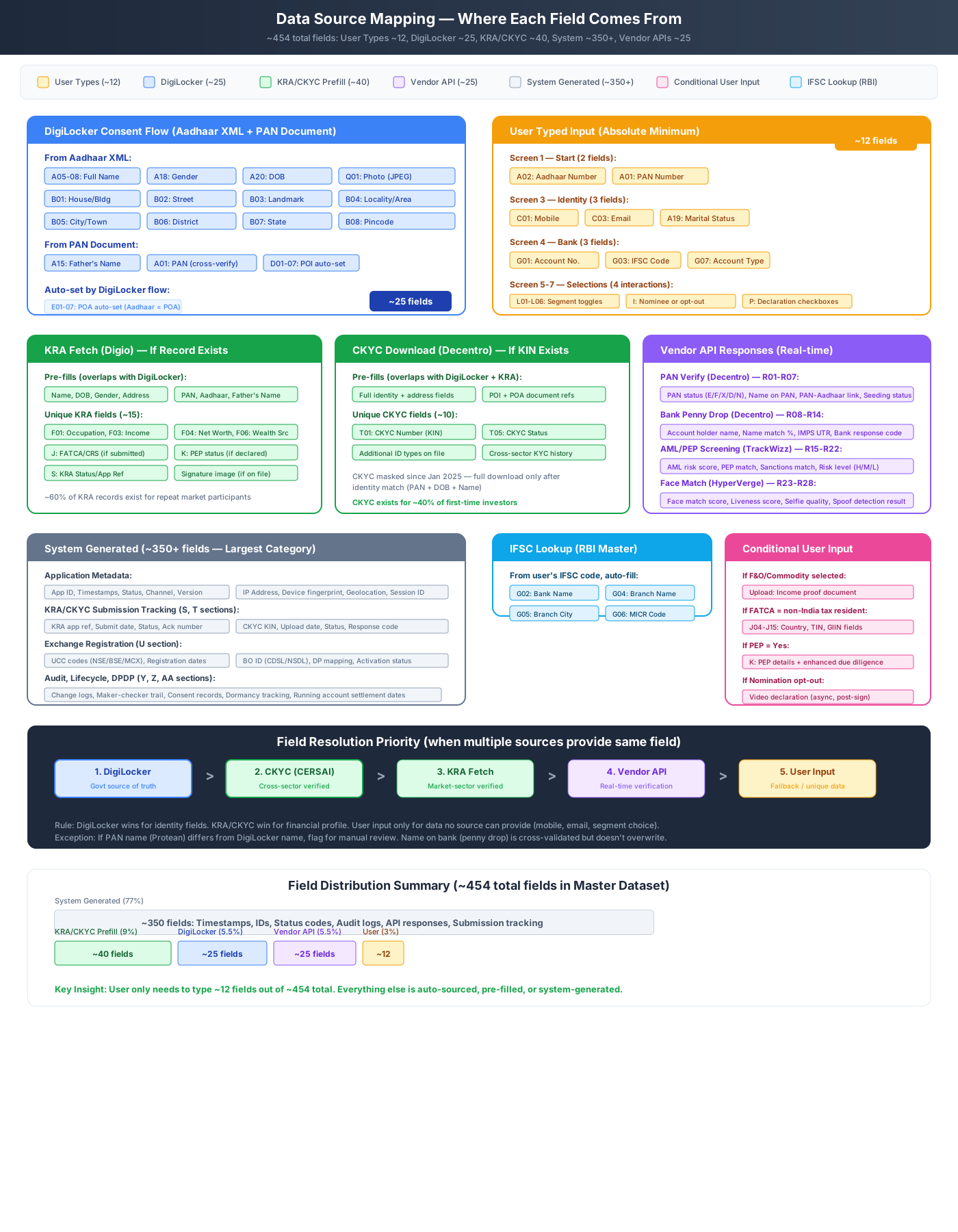
Data Source Mapping — Where Each Field Comes From
Diagram 3 focuses on what happens after the customer finishes their journey. This is the backend processing that turns a signed application into an active trading account.
Diagram 3: Async Batch Processing Pipeline
Section titled “Diagram 3: Async Batch Processing Pipeline”The multi-agency batch pipeline that runs after maker-checker approval — KRA, CKYC, NSE, BSE, MCX, CDSL, NSDL pipelines in parallel. Each pipeline has its own submission format, processing timeline, and success/failure handling. See the Batch Pipeline documentation for the detailed specification of each pipeline.
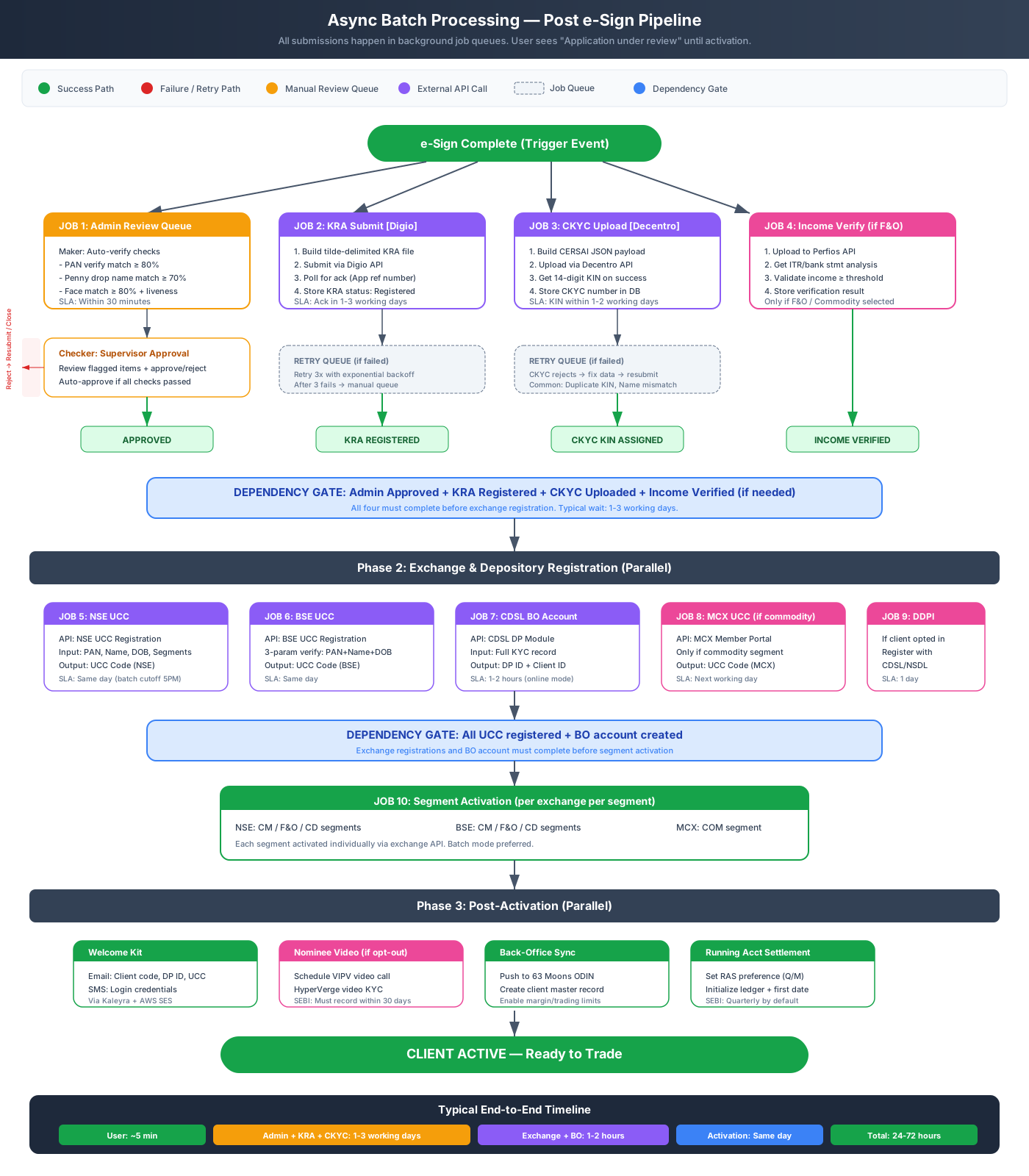
Async Batch Processing Pipeline
The final diagram shows the application status lifecycle — the state machine that tracks every application from creation to completion.
Diagram 4: Status Lifecycle
Section titled “Diagram 4: Status Lifecycle”The 12-state application lifecycle — from REGISTERED to ACTIVE, with retry paths from GATE_FAILED and REJECTED. This diagram maps directly to the Status Machine documentation, which provides the complete transition table and trigger definitions.
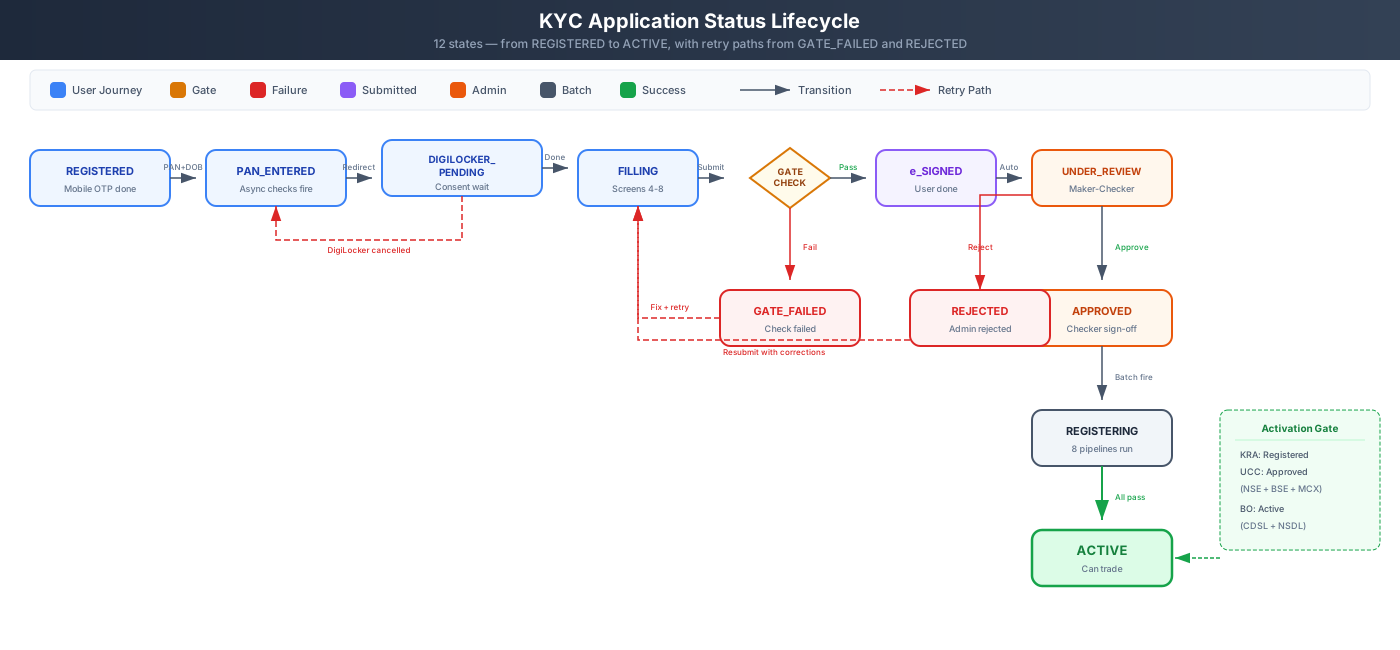
KYC Application Status Lifecycle